
Comparison process
How to use the Identification Assistant.
The Identification Assistant helps you narrow likely cultivar choices. It does not confirm a cultivar name by itself. A flower photo can start the search, but a useful conclusion comes from comparing several clues at the same time: flower traits, leaf traits, growth habit, fragrance, source history, photos, and notes from experienced growers.
The Assistant is not one-click proof
The database helps narrow possibilities; it does not prove identity from one picture or one trait. A stronger possible match should agree across multiple details and, when possible, be supported by source history or trusted provenance.
Use the result honestly
Most unknown plumeria should be described as a possible match, likely match, needs more evidence, or not a match. That protects the database from accidental duplicate names and unsupported conclusions.
1. Photograph the plant
Take clear photos of the front and back of a flower, the whole inflorescence, leaves, branch habit, buds, seedpods if present, and the full plant when possible.
2. Start with flowers
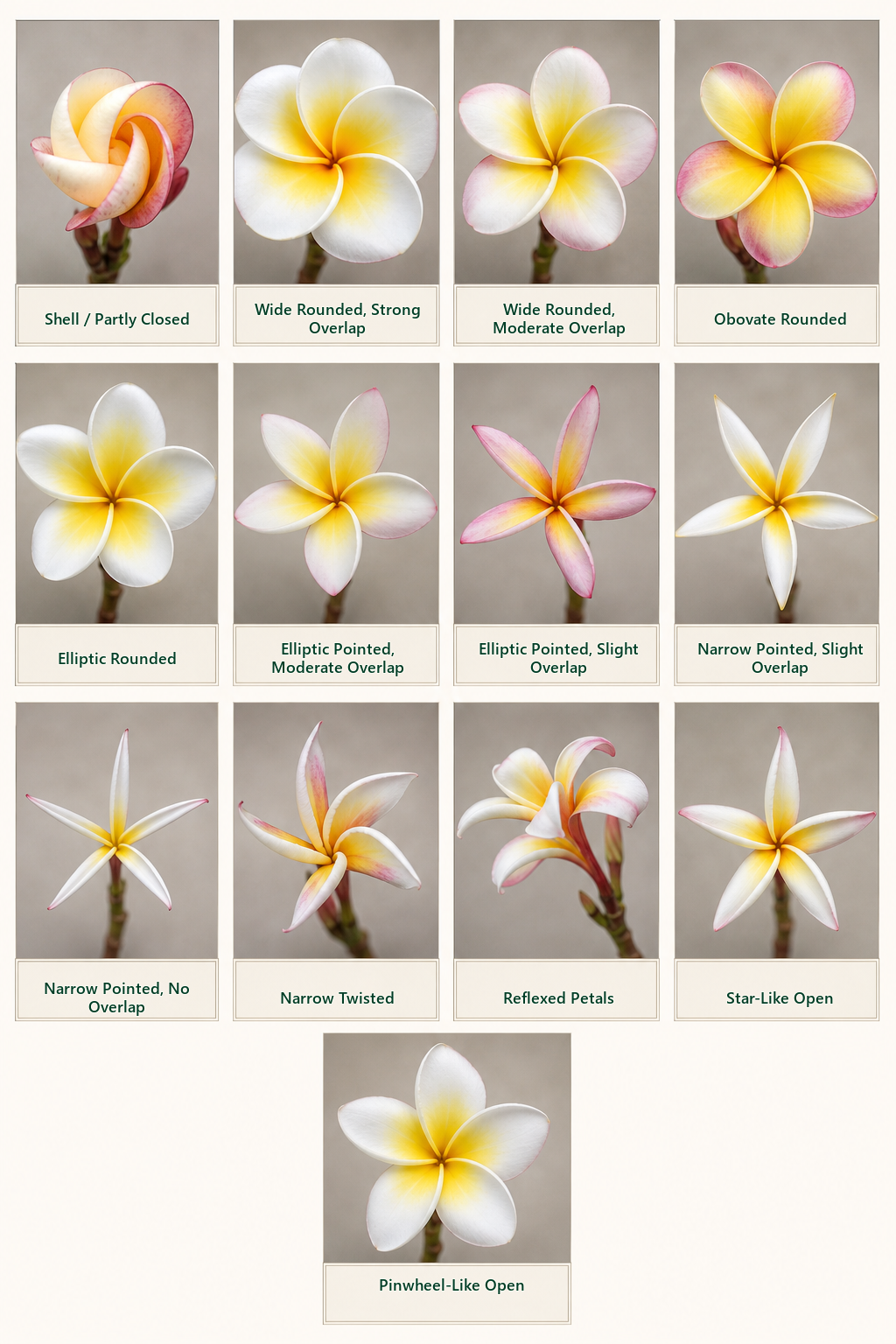
Compare primary color, center color, throat, petal shape, overlap, flower size range, veining, bands, edges, fading, darkening, and bloom age.
3. Add plant clues
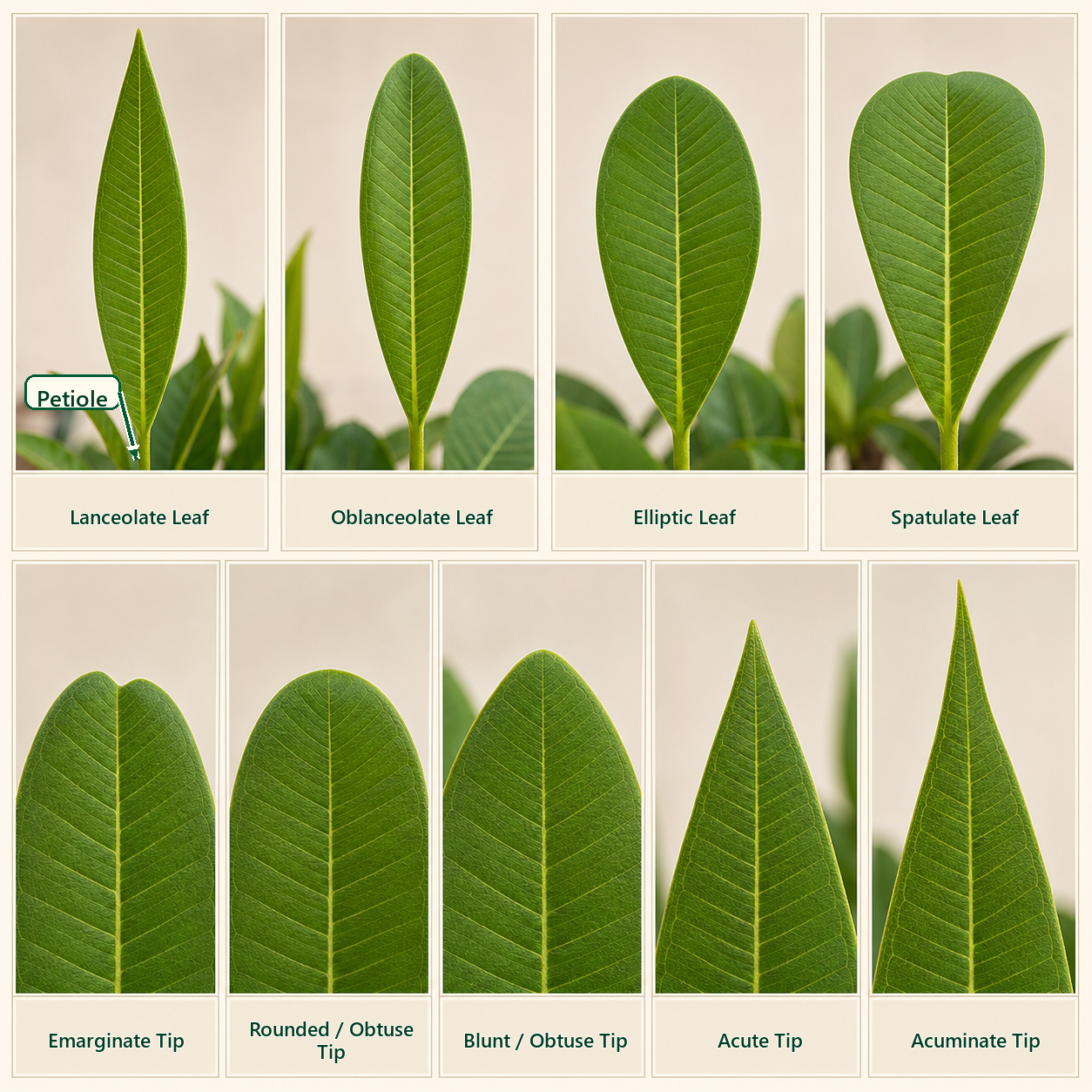
Record fragrance, leaf shape, leaf tip, leaf surface, petiole traits, growth habit, branching, seed behavior, bloom season, and rooting or grafting notes if known.
4. Narrow candidates
Use the Identification Assistant to select the traits you can clearly observe. Treat the results as a shortlist of likely choices, not as a final answer.
5. Compare records
Open each candidate cultivar page and compare the gallery, traits, AKAs, parentage, origin notes, registration notes, and review status.
6. Submit evidence
If you have photos, labels, source notes, or a correction, submit them for review so a verifier can approve the information before it changes the public record.
What to include when asking for comparison help
- Photos: front flower, back flower, full inflorescence, leaves, tree habit, buds, and seedpods if available.
- Source history: where it came from, when it was purchased or received, label names, nursery names, and any old tags.
- Growing context: region, season, sun exposure, temperature, bloom age, and whether the plant is in a pot or in the ground.
- Observed traits: flower size range, fragrance, growth habit, leaf details, bloom behavior, seed setting, and anything unusual.
- Your conclusion: possible match, likely match, needs more evidence, or not a match, with the reason why.
What not to do
Do not name a plumeria from color alone, one flower, one photo, a marketplace label, memory, or a single social media comparison. Many cultivars can look similar under different growing conditions.
When a name already exists
If a cultivar name already exists in the database, submit a suggestion or missing information instead of creating a duplicate record. If the plant is genuinely new, provide the source, parentage, seedling history, and supporting photos for review.
Use these tools next
- Identification Assistant. Select visible traits and narrow likely cultivar choices.
- Cultivar Search. Search by cultivar name, alternate names, or partial spelling.
- Trait Selection Guide. Learn how to choose the right trait values before submitting updates.
- Submit a Cultivar Photo. Add photos with credit, permission, date, region, and context.
- Submit Information or Corrections. Send missing traits, name notes, parentage, source details, or corrections for review.